Most power-outage setups fail for a reason that has nothing to do with the dish: the router goes down with the mains, so even a dish running happily on a battery has nowhere to send the traffic. Get the router onto backup power and the whole thing becomes simple.
Here is what a realistic outage setup looks like, and the four claims that send people shopping for the wrong thing.
What actually has to stay powered
Three things, and only three. The dishy terminal, the router, and whatever device you are using. Everything else in the house is optional.
The router is the piece people forget. It is a small load — a handful of watts — but it is the bridge, and without it the dish is a very expensive outdoor heater.
| Load | Typical draw | What it buys from 100 Wh |
|---|---|---|
| Mini terminal | ~20 W | About 4 to 5 hours |
| Router | ~5 to 10 W | Most of the evening |
| Standard terminal | 50–75 W | 1 to 2 hours |
| Snow melt running | Substantially higher | Measurably less |
Four claims, checked
A typical computer UPS is sized to hold a desktop for a few minutes at 300–600 W. A dish plus router is a low, continuous load for hours. The UPS will do it for a while and then stop, and it was never designed for that duty cycle.
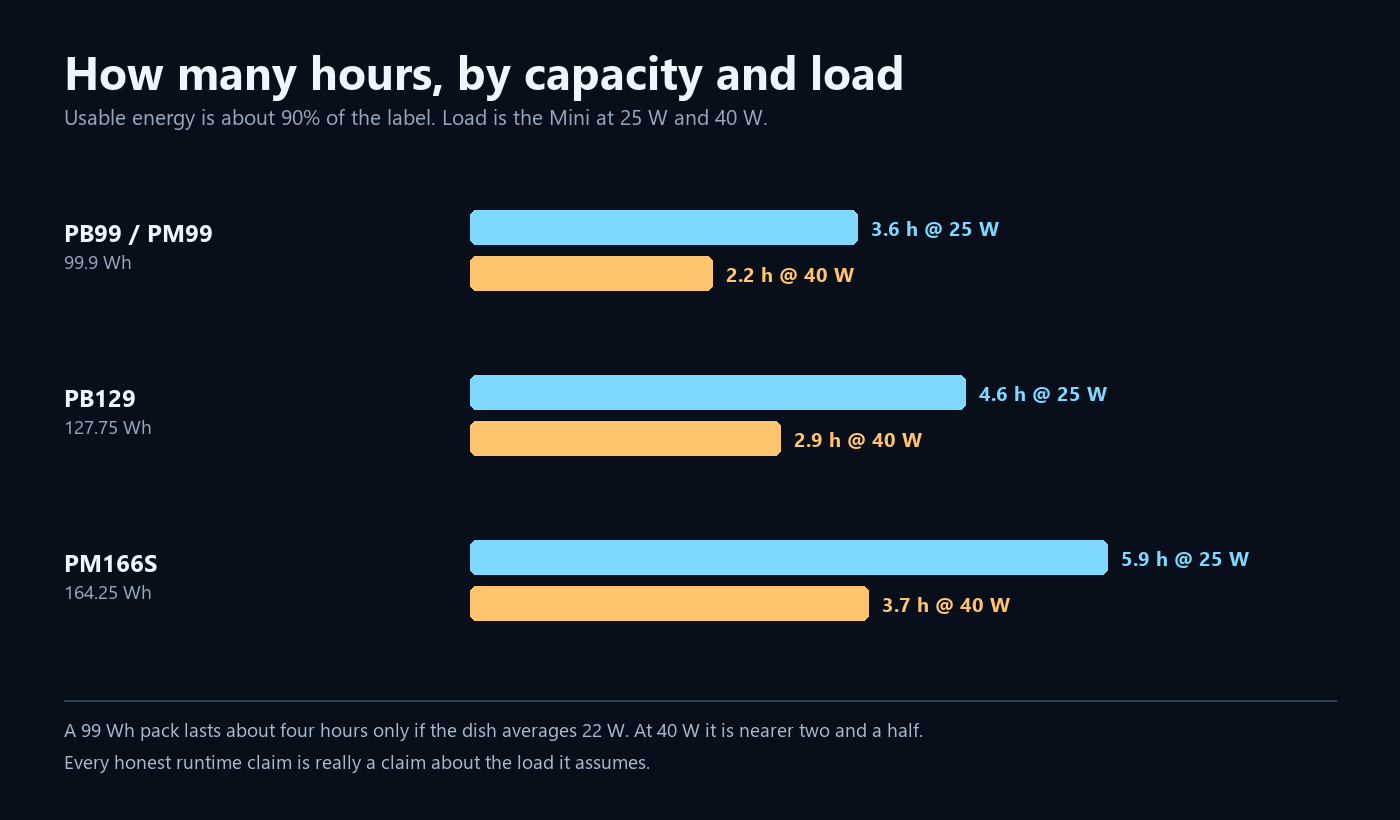
A 99.9 Wh pack is 99.9 Wh at the cells. Through an inverter and the dish’s own supply you get about three quarters of that at the terminal. On a DC path you keep closer to 92 percent. Same battery, different answer.
It will start. Whether it keeps running depends on the converter and the wiring: a 60–75 W continuous load on a 12 V system is 5–6 A, which is fine over a short, thick run and marginal over a long, thin one. The failure mode is reboots, not a clean shutdown.
Solar helps, but it is a daily energy budget, not an outage strategy. A grey winter day can deliver a tenth of a clear summer one, which is exactly when outages are most likely. Plan for the battery to carry you; treat the panel as recovery.
How long is an outage, really?
Outage planning goes wrong in both directions. Some people buy three days of battery for a grid that comes back in ninety minutes; others plan for an evening and discover their area loses power for two days after a storm.
The useful question is not “how long could it be” but “how long do I need to stay reachable”. If you work from home, that might be four hours of a working day. If you are on a boat or in a remote cabin, it is a different number entirely. Size to the first question and let the second one inform whether you add solar.
There is also a compounding effect worth knowing: an outage in winter is both longer and more expensive in energy, because the terminal’s snow melt runs and the battery is colder. The same pack that carries you for six hours in June may manage three in January.
The device you forgot to charge
Your laptop and phone need power too, and they are usually the first things to die. A dish with five hours of runtime is no use if the laptop has forty minutes left.
The cheap fix is a couple of USB power banks kept charged, with a written reminder to top them up monthly. The better fix is to size the main pack with a USB-C output, so the same battery that runs the dish also charges the device you are typing on.
Generator or battery?
These solve different halves of the problem, and the mistake is expecting one to do both.
A generator gives you unlimited runtime but needs fuel, makes noise, and cannot be left running unattended overnight in most neighbourhoods. A battery is silent, instant and finite. The combination that works for a multi-day outage is a battery carrying the network continuously, with a generator or solar topping it up once a day — not a generator running the router directly.
If you go the generator route, put its output through a proper charger rather than feeding the router and dish directly. Dirty power from a small inverter generator is exactly the sort of thing that makes a marginal supply reboot.
The setup that actually works
- Put the router on the battery too. A small uninterruptible supply or a DC feed from the same pack. This is the single change that makes the difference between “internet during an outage” and “internet until the router reboots”.
- Prefer DC end to end where you can. Every conversion costs roughly 10–25 percent. Feeding the terminal from a DC output beats inverter-plus-supply for the same battery.
- Size for the evening, not the week. Most outages in populated areas are hours, not days. A pack that covers six hours reliably is better than one that claims three days and fails on the first cold one.
- Test it before you need it. Pull the mains breaker on a Saturday morning and see what stays up. A plan you have never executed is a plan you do not have.
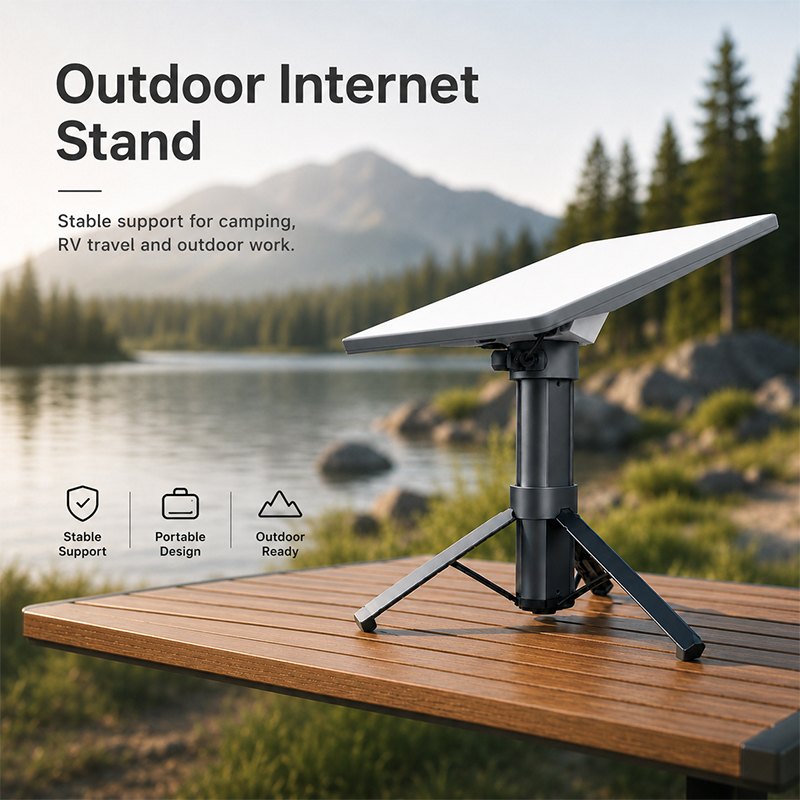
If the outage kit is meant to be portable rather than bolted in, the DC route is worth taking seriously. The Fusynthx PM99 power mount is built for exactly that case: 99.9 Wh, a 30 V DC output aimed at the terminal, and a USB-C input that can be fed from a car or a panel. It is made by Fusynthx, which is our own brand, and compatible with Starlink rather than endorsed by them. We do not sell it on this site; the reason it appears here is that it removes the inverter from the outage path, which is where most of the practical losses live.
One more thing worth doing while the power is on: label the plugs. In the dark, with a torch in your mouth, nobody remembers which brick belongs to the router. A strip of tape with “ROUTER” on it costs nothing and removes the worst five minutes of an outage.
What to do in the first five minutes
When the power goes, the dish will usually recover on its own once it has power again. The sequence that wastes the least time: confirm the router has power, confirm the dish has power, then check the app for whether it is connected. If both are powered and the app says connected, your devices are the problem — not the outage.
Do this today: find your router’s power supply and measure how many watts it draws with a plug meter, or read the label. That one number decides whether a small battery can carry your whole connection, and almost nobody knows it.
This is part of the Starlink 101 framework, in the power and install chapter. For the arithmetic behind the battery itself, sizing a battery works from usable watt-hours, and running on 12 V covers the wiring side.