A Starlink cable is not an Ethernet cable with a different plug on the end. Every generation has used a proprietary connector that carries power and data together, and none of them interchange. That single fact explains most of the confusion when people buy second-hand hardware or a replacement cable from a marketplace listing.
Understanding why they are proprietary is more useful than memorising part numbers, because it tells you which questions to ask before spending money.
Why they had to be proprietary
The dish sits outside and gets its power and its network connection over one cable. That combined requirement rules out standard Ethernet, which carries data only, and it rules out USB, which cannot run the distances involved. So Starlink designed a single cable that delivers DC power outbound and carries the data link in both directions, sealed for outdoor use at both ends.
Once you build a cable like that, it is proprietary by definition. There is no standard to conform to, and no incentive to let a third party define the connector.
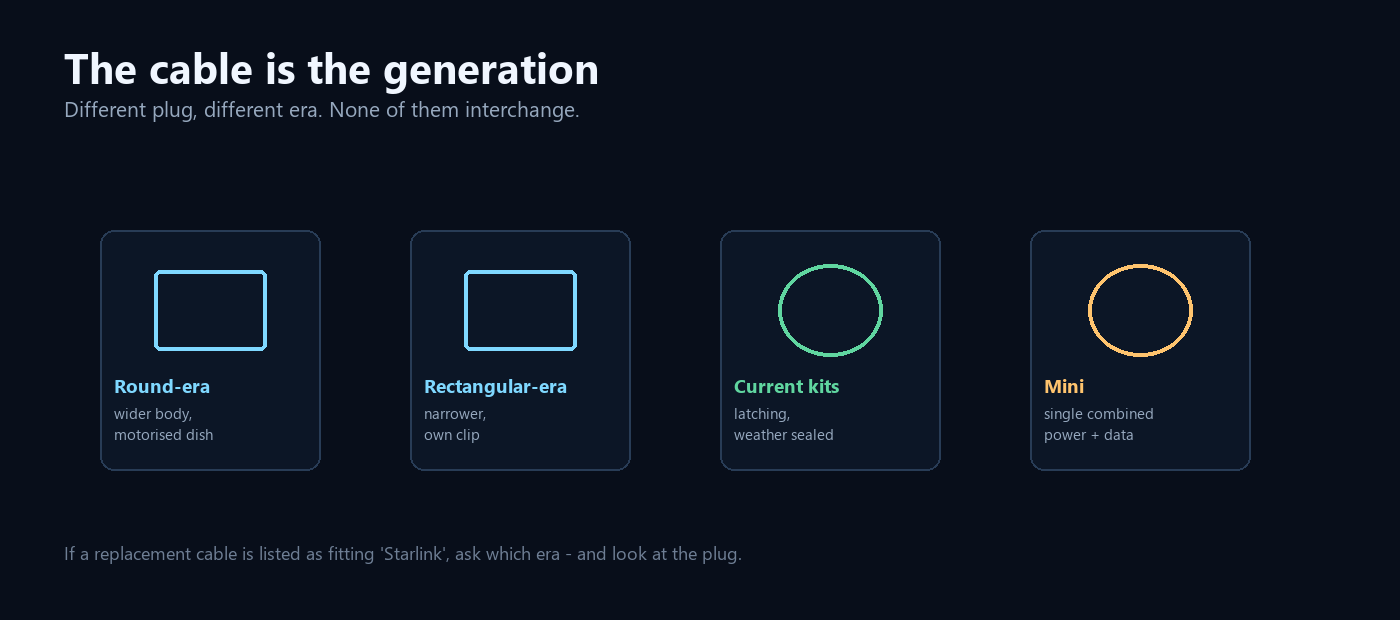
The three things that change with a connector
- The voltage and the pinout. Not every generation feeds the dish the same way. Mating the wrong cable to the wrong dish is not a “it might work” situation.
- The mechanical latch. Some connectors clip, some thread, some rely on a friction fit with a seal. A worn latch is a water ingress path, which is why old cables fail in the rain and not on a dry day.
- The weather seal. The outdoor rating lives in the connector, not in the cable jacket. If the seal is damaged, the cable is no longer outdoor-rated no matter what the listing says.
Why length is part of the same problem
The cable carries power as well as data, which means it has resistance, which means it has a practical length limit. Beyond a certain run the voltage at the dish drops far enough that the terminal restarts under load — and the symptom looks like a hardware fault, not a cable problem.
This is why extensions are riskier than they look. Two cables and a coupler is not one longer cable: it is a longer cable plus a connection that can corrode, loosen or let water in. If you genuinely need more length, buy a single run rated for it rather than chaining what you have.
| Question to ask | Why it matters |
|---|---|
| Which dish generation is this for? | The plug differs and will not mate |
| Is it a single run or an extension? | Extensions add a failure point in the weather |
| Is the seal intact at both ends? | Outdoor rating lives in the connector |
| Is it rated for the length you need? | Voltage drop shows up as reboots |
Why the connector is where failures happen
A cable is mostly a passive object. The connectors at each end are the only parts that get handled, mated and unmated, exposed to weather and asked to maintain a seal under mechanical load.
That is why the failure statistics for outdoor networking gear cluster at the terminations rather than in the middle of the run. A cable that has never been unplugged is usually fine. A cable that has been unplugged and re-plugged a dozen times has a worn latch, a deformed seal, and a small gap where water gets in.
It also explains a pattern people find confusing: the same hardware works perfectly for a year, then starts failing after a storm. Nothing about the electronics changed. Something about the seal did, slowly, every time the plug was handled.
What a good replacement looks like
Three things separate a replacement cable worth buying from one that wastes a weekend.
- It names the generation explicitly. Not “Starlink compatible” — the specific dish it fits. If the listing cannot say which plug it has, the seller does not know either.
- It is a single run, not an extension. Extensions add a coupler in the weather, which is exactly where you do not want another connection.
- The ends arrive with caps on. A cable that ships with protective caps is a cable the manufacturer thought about.
The second-hand trap
Used kits are often sold without the original cable, or with a cable from a different generation. The dish may be perfectly good and still unusable, because the replacement is either unavailable or expensive relative to what you paid.
Before buying anything second-hand, ask for a photograph of the plug and a photograph of the label on the dish. Those two images settle compatibility in a way that a generation number typed into a listing never will.
The one question that saves a purchase
Ask for a photograph of the plug next to a coin. It sounds absurd until you have tried to identify a connector from a listing photo taken from a metre away, and it settles the question faster than any compatibility chart.
If the seller cannot produce it, assume the answer is no. A genuine seller has the cable in a box and can photograph it in thirty seconds. The ones who cannot are usually selling a kit they never got working.
What you cannot fix with an adapter
Adapters exist for some of the gaps — the ones that break a proprietary connector out to RJ45, for example. What no adapter fixes is power: a connector designed for one voltage range will not feed a dish that expects another, and a passive adapter cannot change that.
So the rule is simple. Data adapters are a legitimate workaround. Power paths are not, unless the adapter is an active converter rated for the load — in which case it is no longer a two-dollar part.
One last practical note: keep the old cable when you replace one. A spare of the correct generation is worth storing, and it turns a future storm damage event from a week of waiting into a twenty-minute swap. Cables do not expire on a shelf.
Do this today: photograph both ends of your own cable, plus the label on the dish, and keep the three images together. Every replacement purchase, support ticket and second-hand sale starts with those photographs, and almost nobody has them when they need them.
This is the second entry in the hardware chapter of the Starlink 101 framework. For which connector belongs to which era, the generations comparison puts them side by side, and the length limits explain how far a run can go before voltage becomes the problem.