Starlink does not publish a maximum cable length, and that is not an oversight. The limit is not a distance, it is a voltage: the cable carries power as well as data, and every extra metre spends some of that power heating copper instead of running a dish.
So the honest answer is: as long as Starlink’s own long-run cable, and not much more. Everything below is the reasoning, the arithmetic, and the failure modes that tell you when you have gone too far.
The cable carries power, and power leaks into copper
The dish is powered over the same cable that carries data. A supply near 50 V is sent up the run, the dish draws what it needs, and the difference between what leaves the supply and what arrives at the dish is lost as heat in the conductor.
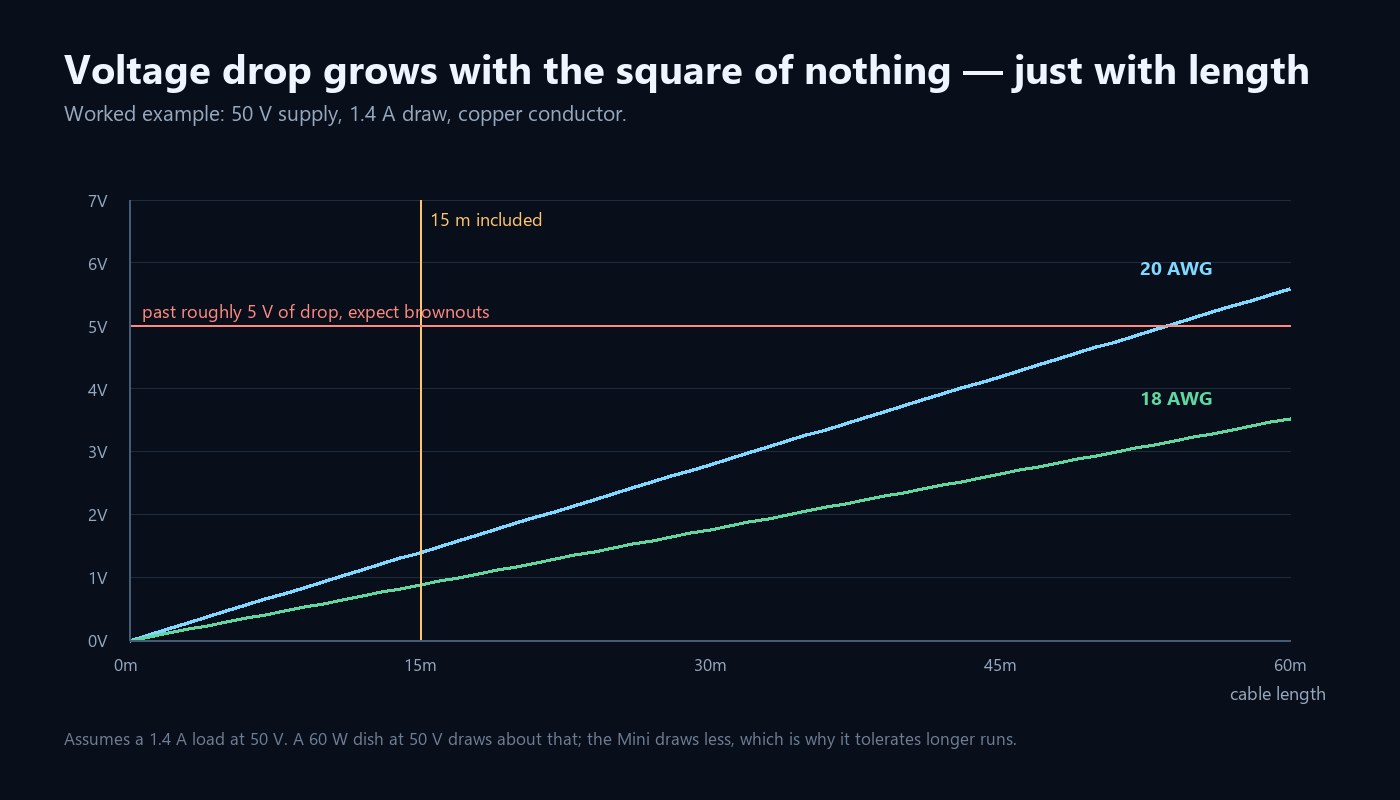
The arithmetic is simple enough to do on paper. Voltage drop equals twice the length, times the resistance per metre, times the current — twice because the current has to come back.
Take a 60 W dish at 50 V, which draws about 1.4 A. Standard 20 AWG copper is roughly 33 milliohms per metre. At 15 m the loop resistance is about 1 ohm, so the drop is roughly 1.4 V — around 3 percent, and harmless. At 45 m it is about 4.2 V. At 60 m you are near 5.6 V, and that is where dishes start behaving badly.
| What you have | Roughly | Realistic limit |
|---|---|---|
| Standard kit cable | ~15 m | What it was designed for |
| Starlink’s own long-run cable | 30–45 m, region dependent | Safe, because the gauge is sized for it |
| Couplers and aftermarket extensions | Adds length, not gauge | Where the failures come from |
| Mini kit | ~15 m | Draws less, tolerates more |
Five things people get wrong
Every joint adds resistance and a water path. Two 15 m cables joined at 30 m behave worse than one 30 m cable of the same gauge, and the connector is proprietary — the aftermarket adapters exist mostly because the supplied cable is inconvenient, not because they are equivalent.
It matters for power first. Data degrades into packet loss and retries; power degrades into brownouts, and a brownout looks like a hardware fault. The dish does not report “low voltage”, it just reboots.
Heavier gauge lowers drop per metre, which is the right instinct. But the connector and the supply’s own regulation set a ceiling too, so a very long run of very thick cable can still misbehave if the supply is marginal or the joints are poor.
The dish’s heater raises current, which increases drop on the same cable, in the same week that battery capacity is already lower. A run that survives October can fail in January without anything about the installation changing.
The radio link to the satellite is unaffected by your cable. What changes is the electrical margin at the dish and the integrity of the Ethernet pairs — two different problems with the same symptom, which is why people blame “signal” for what is usually supply voltage.
What a run that is too long actually looks like
The symptoms are consistent enough to diagnose from a distance:
- Reboots in bursts, not steadily. The dish drops and recovers, often when the heater kicks in, then behaves for hours.
- Worse in the afternoon on a sunny run, because the cable is warmer and resistance rises with temperature.
- Fine at first, worse after a season. Water in a joint or corrosion on a pin adds resistance slowly.
- Speed unaffected right up until it isn’t. The connection tests fine and then fails, because the failure is electrical and threshold-shaped rather than gradual.
Worth saying plainly: there is no setting that fixes this. Firmware can lower the dish’s power draw, and it does, but the cable is a physical constraint. A run that is marginal in December is marginal by design, not by configuration.
If you recognise two or more of those, stop looking at the obstruction map. Measure the voltage at the dish end, or temporarily shorten the run and see whether the problem disappears. That test costs nothing and settles it.
One more diagnostic worth knowing: if the dish only misbehaves after dark or in cold weather, the cable is the suspect, not the sky. If it misbehaves at random times with no pattern, look at the obstruction map first. Timing is the cheapest way to tell an electrical fault from a radio one.
If the dish has to be further away
You have four options, in order of how well they work.
1. Move the router, not the cable. Most people need the dish where the sky is, not next to the router. Put the router closer to the dish and extend the network indoors instead — a normal Ethernet run indoors has none of these power constraints.
This is also the cheapest option, which is why it is first. Ethernet indoors is ordinary network cabling; you can buy a 20 m patch lead for the price of lunch and nobody has to climb anything.
2. Use Starlink’s own long-run cable. It exists precisely because its gauge is matched to the distance. This is the only option that does not require you to solve an electrical problem yourself.
3. Run mains power to the dish, not low voltage. A weatherproof outlet near the install point keeps the run short. More dangerous if done badly, so use an electrician.
4. On a 12 V system, accept that every metre counts. DC runs are far more sensitive: at 12 V the same power needs roughly four times the current, so drop quadruples for the same cable. This is where a short, thick DC lead beats a long thin one every time.
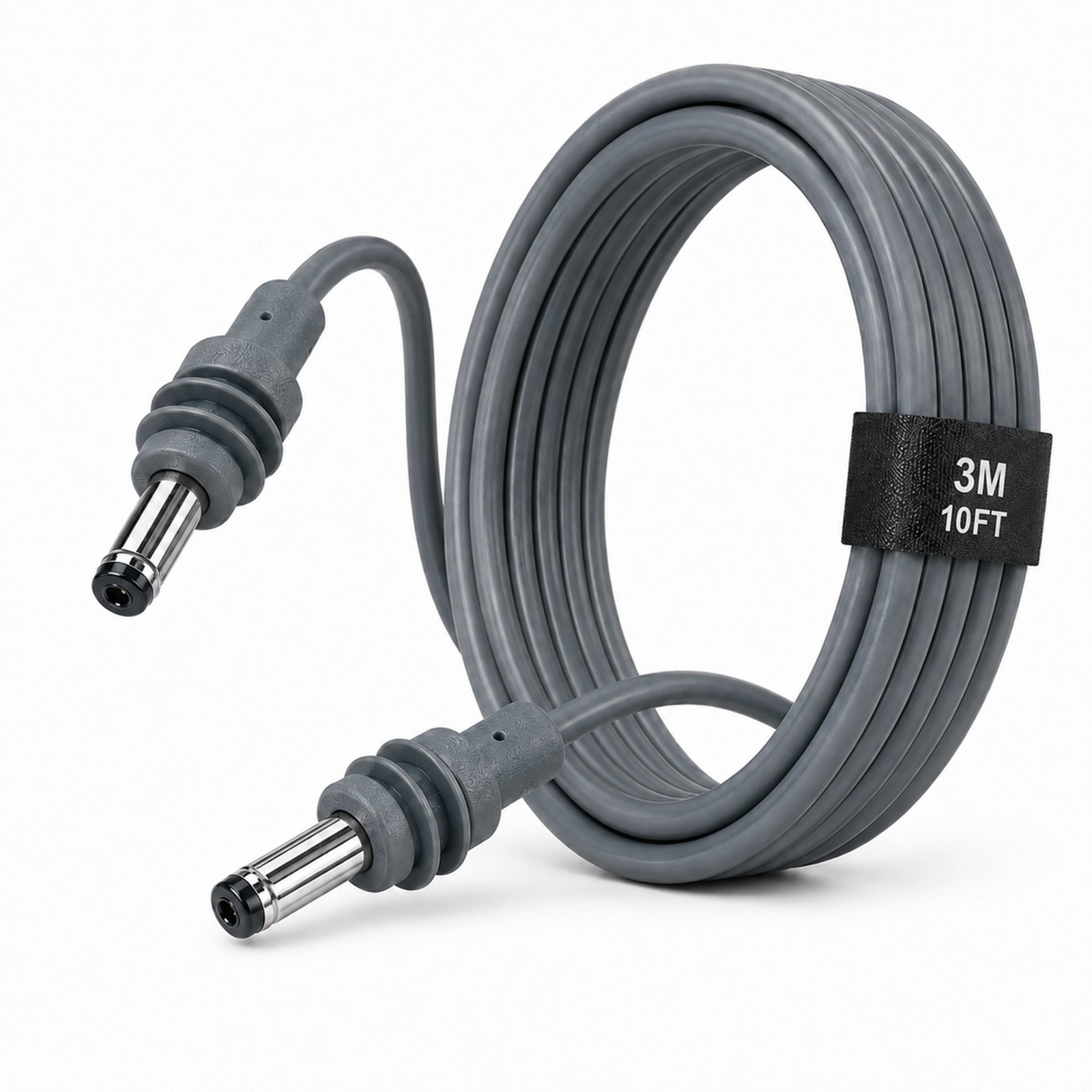
That last case is where the 3 m DC power cable from Fusynthx fits — made by Fusynthx, which is our own brand. It is a barrel-plug DC lead for the power side of a 12 V setup, not an extension for the dish cable, and the reason to keep it short is exactly the arithmetic above. We do not sell it here; the point is that in DC systems, distance is the design constraint, not an afterthought.
Measure before you buy
Before ordering any cable, walk the route with a piece of string. Not the straight line — the actual path, around the corner, down the wall, through the wall, to where the router sits.
People consistently underestimate this by a third. A roof that looks 10 m away is 15 m once you follow the cable, and that is before you add the drop into the house.
Do this today: measure the real path with string, then compare it to the cable you already have. If the answer is “about the same”, you do not have a cable problem — and the fault you have been chasing is somewhere else.
For the wider picture, the Starlink 101 framework covers what the dish is doing with that power, and the wattage breakdown explains why the heater changes the numbers in winter.