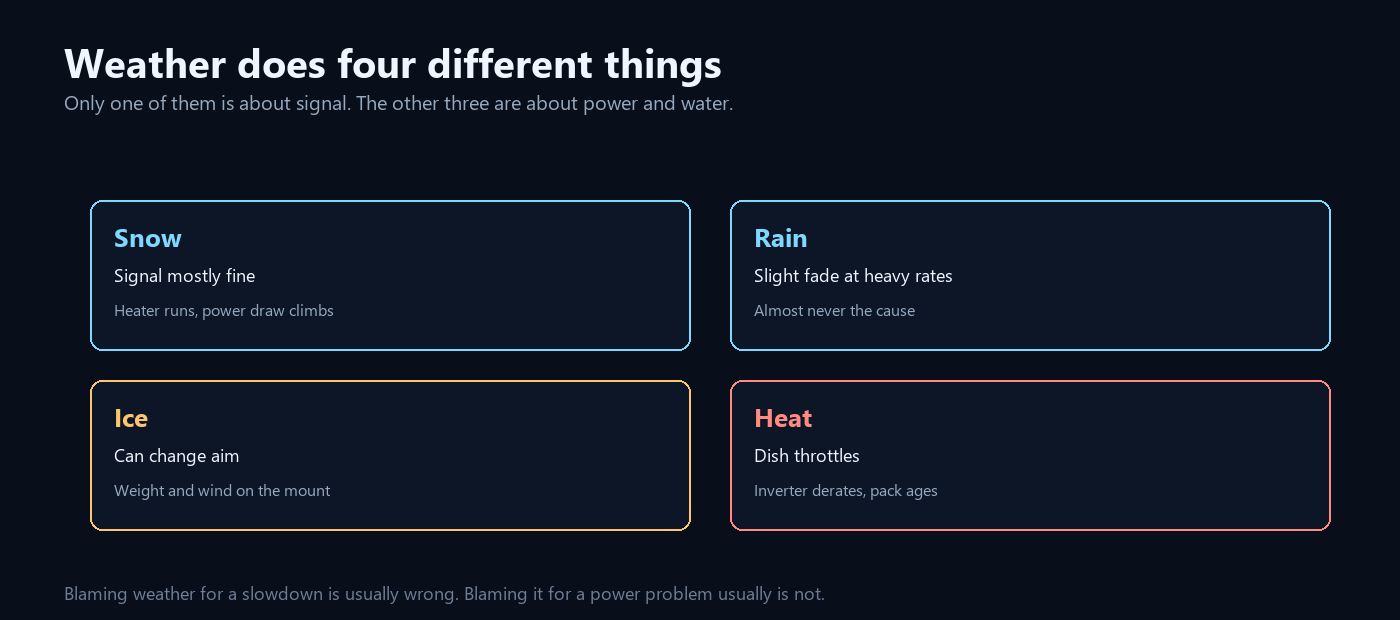
Snow rarely breaks the signal. What it breaks is the power budget — and the thing that surprises people is that heavy rain affects the link less than they expect, while a hot afternoon can slow the dish down more than either.
This is the order worth checking weather problems in, because “the weather” covers four effects with four different fixes.
Three checks, five minutes
1. Look at the dish, not the app. Is there snow on the face, ice on the arm, or a puddle at the connector? Snow melt clears the panel but not the arm, and ice on the arm is what changes the aim.
2. Note the temperature and the time. A slowdown that starts at 2pm on a hot day is thermal. One that starts when the snow begins is either melt load or a blocked face. Those are different problems.
3. Check the power draw. In the app’s statistics, compare draw during the weather event to a clear day. If it has climbed by half, the heater is running — which is correct behaviour and also why your battery is emptying.
If those look fine, work down this list
The dish runs its melt cycle, the power draw climbs, and on a battery the voltage sags. If you are on mains, you will not notice. If you are off-grid, this is the event your sizing should have covered.
The terminal protects itself in high ambient temperatures, and a dish in direct sun gets hotter than the air. Airflow under the panel helps more than any accessory.
Ice adds weight to the arm and wind pushes against it, and the mount can shift a degree or two. If obstruction appeared overnight after ice, re-check the mounting rather than the sky.
Radio links fade at very high rain rates, then recover. If it comes back as the rain eases, there is nothing to fix — this is physics, not a fault.
Ice is the one that leaves damage behind
Snow melts and rain passes. Ice accumulates, adds weight to the arm, and — with wind — pushes against a mount that was aligned in calm weather. The symptom appears days later as a stubborn obstruction figure that was not there before.
If that pattern fits, re-check the aiming and the fasteners before assuming the dish has developed a fault. An ice event is a mechanical event, and it is diagnosed with a ladder rather than an app.
Storms and the mount, not the dish
High wind rarely breaks a terminal. It loosens whatever holds the terminal, and the loosening is what produces the fault — a small change in aim, then an obstruction figure that will not go away.
Starlink’s own installation documentation is explicit that mounts are not designed for high-wind, hurricane or tornado loads, and that tethering should be used to prevent failure in an unexpected event. That is a manufacturer telling you the mount is the weak point, which is worth taking literally.
Heat is the quiet one
High ambient temperature does two things. The terminal protects itself, which shows up as reduced performance on the hottest hours; and any converter or inverter in the same hot space derates, which is why an off-grid install can behave perfectly in spring and strangely in August.
The fix is airflow rather than hardware: shade the dish without covering it, keep the power equipment out of the sun, and do not put a converter in a closed compartment that reaches 50 °C by noon.
Why snow is a power problem first
The dish melts snow off its own face, and that heater is the reason a winter day consumes more than a summer one. Published figures put snow melt capacity around 25 mm per hour for a Mini, which is a useful benchmark: if the snowfall is close to that, the heater is working continuously.
On mains power that is a curiosity. On a battery it is the difference between a pack that lasts the night and one that does not — and it is exactly the scenario that makes people believe their battery has failed when it has not.
| Weather | Signal effect | What actually changes |
|---|---|---|
| Snow | Mostly none | Power draw, heater cycling |
| Heavy rain | Short fade | Nothing worth fixing |
| Ice | Possible after the fact | Aim, mount load |
| Heat | Throttling | Dish temperature, converter derating |
What to record, so next time is easier
Weather problems repeat annually, and almost nobody keeps the notes that would make the second winter easy. Three numbers cover it: the outdoor temperature, the power draw, and the obstruction figure.
With one winter of those written down, you can answer the questions that otherwise get guessed at: how much the heater adds, whether the January slowdown is normal for this site, and whether a bigger battery would actually change anything.
When it is hardware, and when it is not
Contact support if the dish reports faults, refuses to stow, or loses connection for hours at a time in clear weather after the event has passed. Those are not weather symptoms, they are hardware symptoms that happened during weather.
Do not open a ticket for a fade during heavy rain or a slowdown on a 38 °C afternoon. Both are documented behaviour, and both will be closed as such — which costs you a week and changes nothing.
One useful habit: photograph the dish and the mount from the same angle once a season. Aim drift and fastener movement are almost invisible day to day and obvious across three months, and the photo is the only record you will have of what “normal” looked like.
Do this today: the next time the weather turns, note the power draw in the app’s statistics. If you have that number before winter, you know whether your battery is sized for the heater — and that is the only weather question that has an actionable answer.
This is part of the troubleshooting index. For the energy side of snow, the overland power guide covers the cold arithmetic, and solar sizing explains why the winter number is the one that decides the array.