Pause, cancel and transfer are not three words for the same thing, and the difference decides whether you keep the hardware, keep the account, or keep neither. People open a support ticket asking to “stop paying” and end up with the wrong outcome because the request was ambiguous.
Before contacting anyone, decide which of the three you actually want. That single decision saves most of the back-and-forth.
The one question that separates them
Ask yourself: do you want this hardware back in service later?
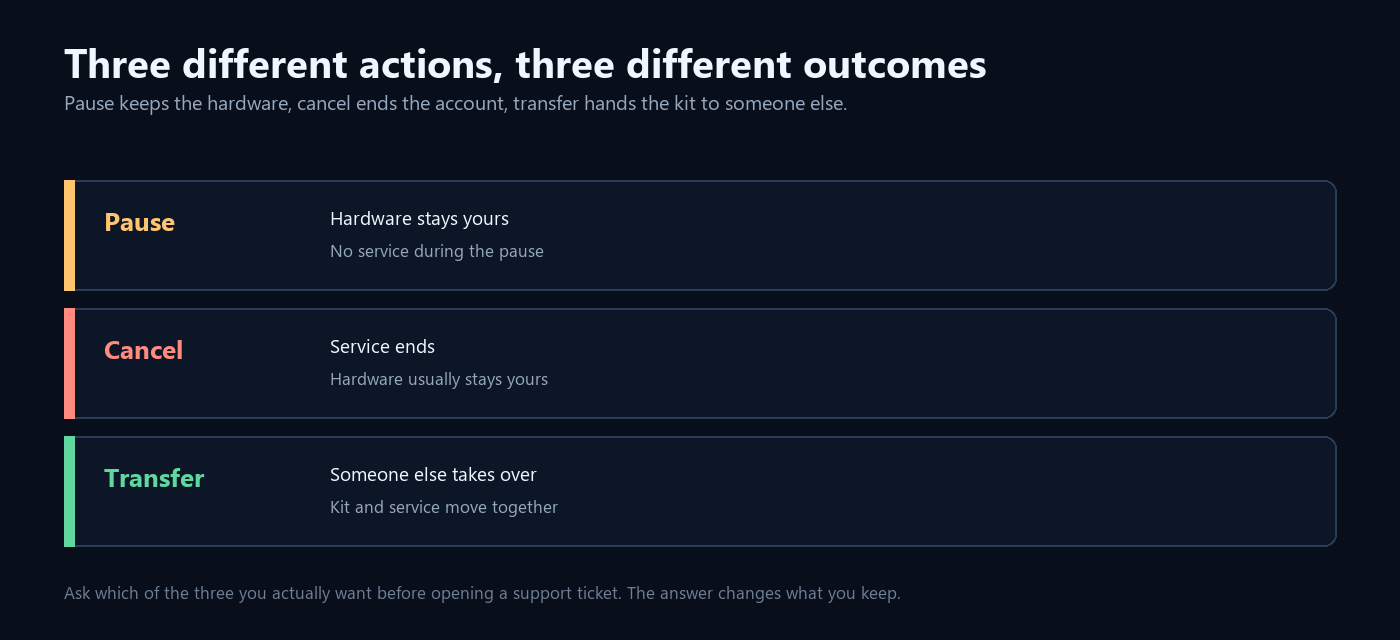
Yes and you are keeping the kit: pause. No and you are done: cancel. No, but someone else is taking it: transfer. Everything else — billing dates, notice periods, hardware return — follows from which of those three you named.
Pause: for seasonal use
Pausing is the wrong tool for “I am unhappy” and the right tool for “I will not be here”. A cabin used in summer, a boat laid up for winter, a site that is dormant for months — those are pause cases.
Two things to check before relying on it. Whether pause is available on your specific service line at all, because it is not universal; and what happens to your place in the cell while paused, because a paused account is not a reservation of capacity in a busy area.
Cancel: the part people get wrong
Cancelling ends the service, and the common misconception is that unused time is refunded pro rata. It usually is not. If you cancel mid-month, plan on paying for the period you are in rather than recovering the remainder.
The other misconception is about hardware. Cancelling a subscription is not the same as returning a kit — those are separate processes with separate deadlines, and missing the hardware deadline is how people end up charged for equipment they thought they had cancelled.
Service is usually billed by period rather than by day. Cancelling stops the next charge; it does not typically refund the current one.
Both stop the bill. Only one leaves you able to switch the same kit back on without starting over — and in a full cell, starting over can mean a waitlist.
A transfer moves the service and the hardware together, which preserves the kit’s place and avoids a new activation. It is the right answer when someone else wants the same hardware.
Transfer: selling the kit, moving house, or a family member
A transfer exists because a dish is hardware and service is an account, and the two can change hands separately or together. Selling a used kit without transferring the service leaves the buyer with a terminal they cannot activate on their own account, which is the single most common second-hand problem.
If you are the buyer, do the transfer before the money changes hands, not after. If you are the seller, confirm the account is clear of any balance first — an outstanding charge can block the transfer and leave both parties stuck.
| Your situation | Ask for | What you keep |
|---|---|---|
| Seasonal, returning later | Pause | Hardware and account |
| Done with the service | Cancel | Hardware, usually |
| Someone else wants it | Transfer | Nothing — it moves |
| Moving, same household | Service address change | Everything |
What to have ready before you contact support
Account changes get resolved fastest when the request arrives with specifics. Four things cover almost every case: the account email, the service address, the date you want the change to take effect, and the one sentence describing the outcome you want.
That last item is the one people leave out, and it is the one that determines whether the agent pauses, cancels or transfers. An ambiguous ticket like “please cancel my service” can be actioned literally when the customer meant “pause”, and unpicking that is a second ticket.
Second-hand kits: the transfer order matters
Buying a used dish is the case where the order of operations decides whether the purchase works. The transfer has to happen while the seller still has an active account, because the transfer is an action on their account rather than yours.
So the sequence is: confirm the kit is not locked to an unpaid balance, agree the transfer, wait for confirmation, then pay. Doing it the other way round is how people end up owning hardware they cannot activate and arguing about a refund.
A useful check on the seller’s side too: a kit sold without a transfer is worth less than one sold with it, because the buyer’s alternative is a new activation in whatever queue their cell has.
Timing: do not leave it to the last day
Billing periods are not aligned to your convenience. If the change needs to land before a charge, start the process a week early rather than on the day — support queues are not instant, and a request that arrives after the billing run is a request that costs you another month.
The same applies to a pause for a season. Put the pause in motion before the last week of use, not after the trip, because the account has to be active for you to change it.
Moving house is not cancelling
If you are taking the dish to a new address, the action is a service address change. Cancelling and re-ordering works, but it puts you at the back of the queue for the new cell — and in a busy area that queue can be months long.
Check availability at the new address before you commit to the move date. A cell with no capacity will not accept a transfer of service regardless of how long you have been a customer, and discovering that after signing a lease is unnecessarily painful.
Do this today: write one sentence describing what you want — “stop paying until spring”, “end it”, “hand it to my brother”, or “take it to the new house”. Then use exactly that sentence in the support request. Ambiguity is what turns a five-minute change into a week of tickets.
This is part of the service chapter in the Starlink 101 framework. Roaming and mobility covers the plan-side rules for a kit that travels, and the US plans guide explains why the cell you are in decides what you can buy.