Starlink’s customer information document lists sixteen circumstances in which performance problems are not the company’s responsibility. Read that list carefully and you notice something: it is a troubleshooting index in disguise.
Almost every item on it is something you can find, diagnose and often fix yourself. Which is good news, because the warranty exists for the other cases.
A note on scope before we start: the figures and the list below come from Starlink’s published Critical Information Summary for the Australian market. Terms differ by country — the US and EU documents have their own wording — so treat this as the shape of the policy rather than a substitute for your own country’s version.
What the warranty actually promises
Two numbers matter. The kit carries a twelve-month warranty from the date of purchase for defects in materials and workmanship, and the same document says the equipment should remain intact and operable for at least twelve months after delivery.
That is a narrow promise, deliberately. It covers a dish that fails on its own, not a dish that fails because of how it was installed or what it was connected to. The remedy is also limited: repair, replacement, or refund at the company’s discretion, not a payment for the tree you trimmed or the roofer you hired.
Separately, there is a thirty-day return window with a refund subject to conditions. That is a change-of-mind path, and it is not the same as a warranty claim.
The sixteen exclusions, in plain English
Here is the published list, translated out of contract language:
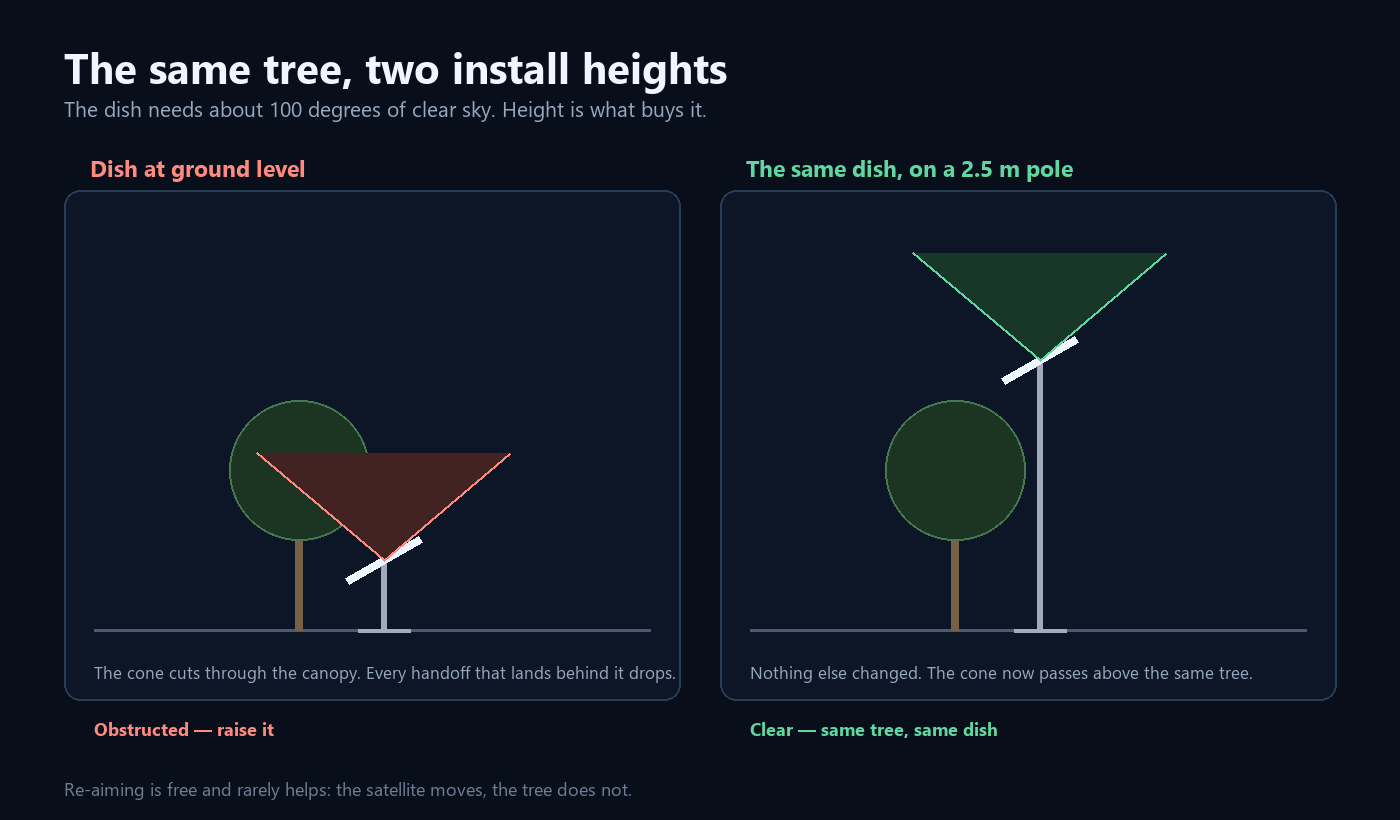
Installation and environment. Not following the instructions; the installation environment; the dish’s angle or field of view; and the location of your equipment. In practice this means obstruction is yours to solve, and so is a mount that lets the dish move.
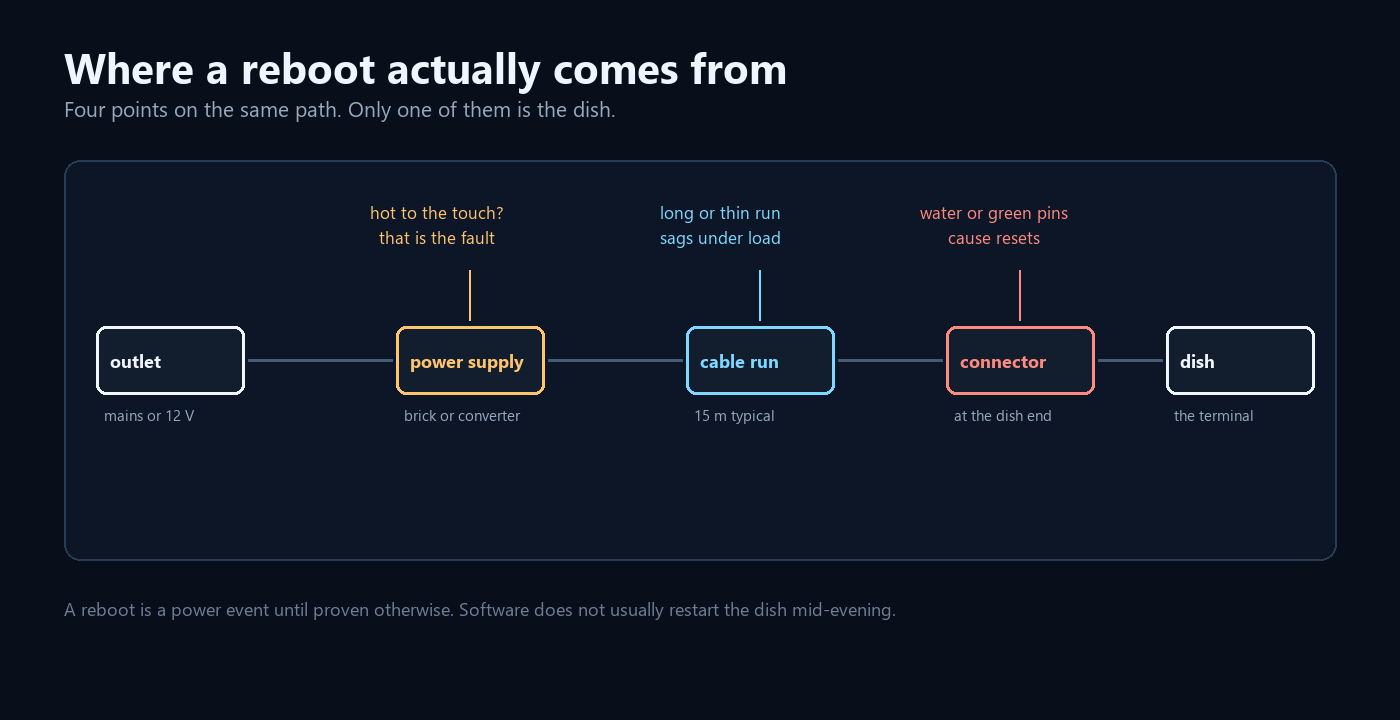
Everything electrical. The reliability of grid power, problems with your own electrical system, and improper tower grounding. This is the biggest cluster on the list, and it is the one most people never check.
Everything in the cable path. The quality, condition and positioning of cables. A crushed run, a connector full of water, a cable tied too tightly around a corner — all excluded.
Things around you. Weather; interference from other devices; the proximity of other Starlink kits; the quality of your own devices; too many simultaneous connections.
Damage and wear. Fire, flood, wind, lightning, earthquake; food or liquid spills; misuse, abuse, accident, vandalism, alteration or neglect; and normal wear and tear.
It means the warranty covers manufacturing defects and not installation mistakes. Those are different products. What it does not cover is exactly the list of things this site writes about, which is why the list is more useful as a diagnostic than as a complaint.
Which exclusions you can actually fix
Twelve of the sixteen are within your control. Three are not. One is ambiguous.
| Exclusion | Yours to fix? | Where to start |
|---|---|---|
| Installation not following instructions | Yes | Re-check the mount and cable routing |
| Installation environment / field of view | Yes | Obstruction map, then height |
| Dish angle and field of view | Yes | Re-seat the mount if it has moved |
| Grid or household power problems | Yes | Measure voltage under load |
| Improper tower grounding | Yes | Check the earth path |
| Cable quality, condition, position | Yes | Inspect and reseat the connector |
| Interference from other devices | Mostly | Move or shield the source |
| Too many simultaneous connections | Yes | Rate-limit the heavy user |
| Quality of your own devices | Yes | Test from a wired laptop |
| Food or liquid spills | Yes | Prevention only |
| Misuse, abuse, alteration, neglect | Yes | Prevention only |
| Normal wear and tear | No | Expect it eventually |
| Weather | No | Document it when it happens |
| Fire, flood, wind, lightning, earthquake | No | Insurance, not warranty |
| Proximity of other Starlink kits | Sometimes | Space dishes further apart |
| Performance targets changing over time | Not applicable | Not a fault at all |
How to file a claim that gets read
The support portal is the fastest route and the one the company itself recommends. Email is the second — the published address for resolutions is on the customer information document, and complaints are expected to be marked as such in the subject line with your account number.
Three things make a claim easy to process:
- A pattern, not a complaint. “It restarted at 19:40, 20:15 and 21:02 on three consecutive days” beats “it keeps disconnecting”.
- Evidence the install is excluded from blame. A screenshot of near-zero obstruction and a photo of the connector are worth more than paragraphs.
- The serial number. It is on the dish’s label and in the app; without it the conversation restarts.
Return window or warranty claim, pick the right one
These get mixed up constantly, and the mix-up costs people their return window. The thirty-day return exists so you can change your mind about the service; the twelve-month warranty exists for a defective unit. Both have conditions, and neither is a general “make this work” guarantee.
The practical rule: if you are inside thirty days and the service does not suit you, use the return path and stop troubleshooting. If you are past thirty days and the hardware itself has failed, use the warranty path. Trying the warranty route for a coverage disappointment, or the return route for a burnt-out dish, wastes the one window you had.
The trap nobody mentions
The warranty follows the account, not the hardware. Buy a used dish from someone and the remaining warranty does not transfer to you — the original owner can still claim, or nobody can.
That is worth knowing before buying second-hand at a tempting price. Ask the seller for the original order number and whether the kit is still attached to their account; if they cannot answer, price the risk in.
What this list is really telling you
Read as a whole, the sixteen items describe the failure modes of a self-installed satellite terminal: sight lines, cables, power, weather, and time. The warranty is telling you where the engineering stops and where the owner begins.
Which is a reasonable division. A dish that fails on its own gets replaced. A dish starved of voltage, fed through a cracked cable, or pointed at a tree gets fixed by its owner — and the faster you know which of the two you are dealing with, the less time you spend on hold.
If the failure is electrical, the cheapest fix is usually a proper DC path rather than an inverter chain. The Fusynthx PM99 power mount exists for that case: 99.9 Wh, a 30 V DC output for the dish, USB-C input for charging. It is made by Fusynthx, which is our own brand, and is compatible with Starlink rather than endorsed by them. We do not sell it on this site, and it does not extend a warranty — it just removes one of the sixteen from the list.
Do this today: photograph your own install. The dish label, the connector, the cable route, and the power supply. If a fault ever appears, that set of four photos is the difference between a warranty conversation and an argument about what your roof looked like in November.
This sits alongside the troubleshooting index because the two overlap almost completely. If you want the electrical detail behind exclusions four and five, reboots in bursts covers the power path, and the order to check things in walks the general sequence.