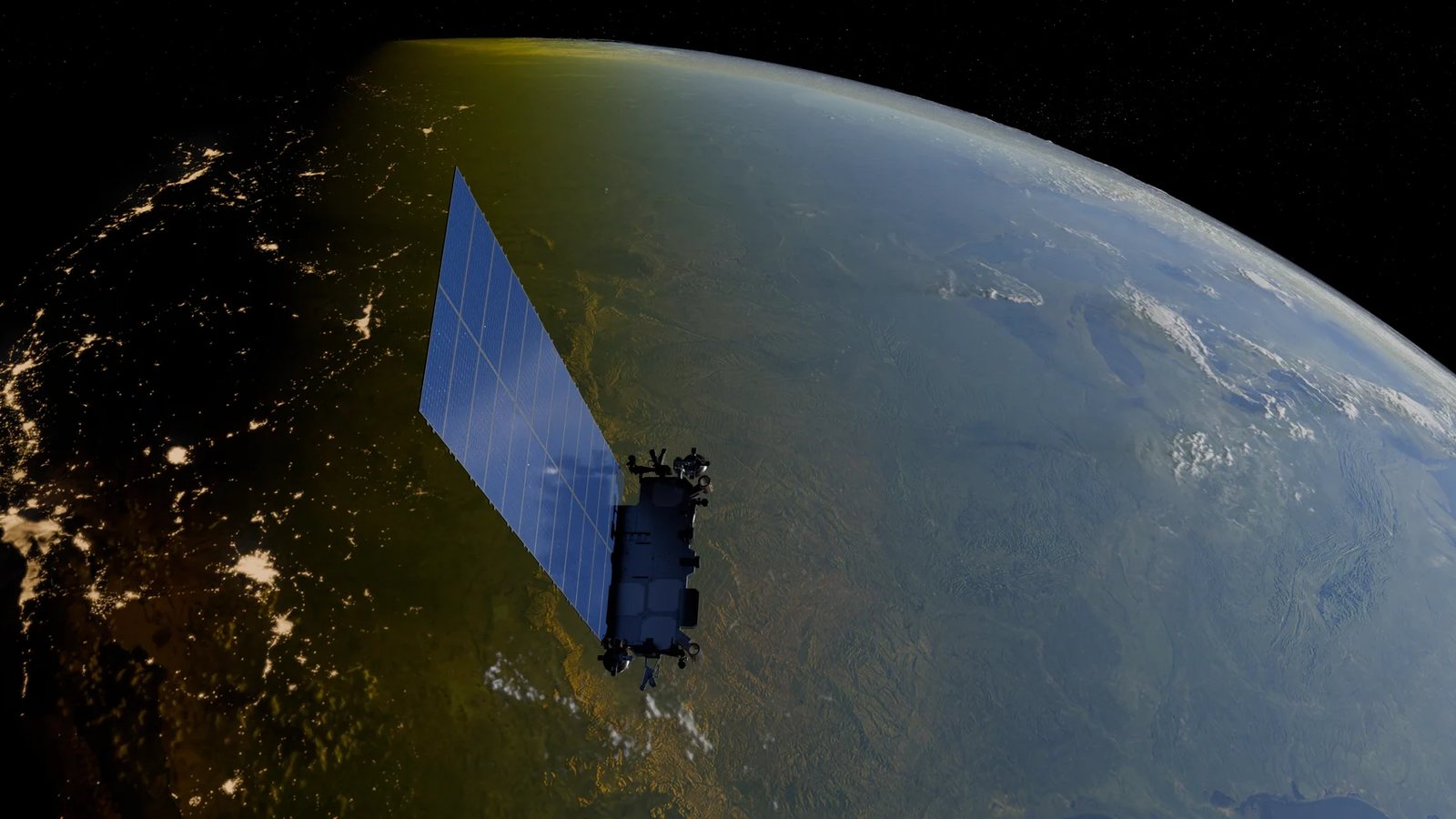
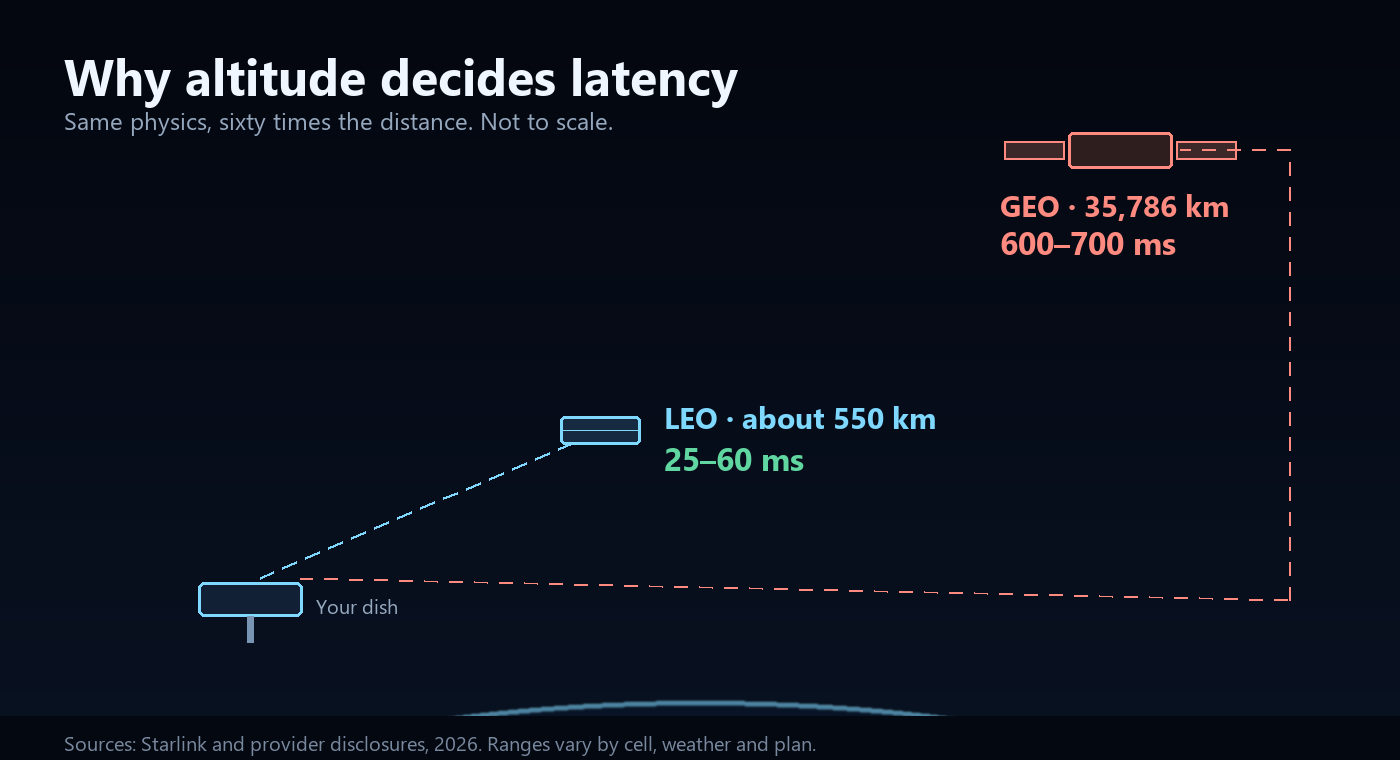
The signal from your dish to the satellite takes 1.8 milliseconds to get there, and the same to come back. Everything else in the 25 to 60 ms you see in a speed test is electronics — processing, queuing and routing, none of which the orbit constrains.
That split matters, because it tells you which problems are physics and which are engineering. Distance you cannot negotiate. The rest is a moving target that improves with each generation of hardware and each network upgrade — which is why two dishes in the same street can show different latency on the same evening.
The trip, in order
Light in a vacuum covers 300,000 km every second. A satellite at 550 km is 550 km away, so the one-way trip is a hair under 2 ms. Round trip: about 3.7 ms. The old geostationary services sat at 35,786 km, sixty-four times further, which put 238 ms of pure distance into every packet before the provider’s network had done anything at all.
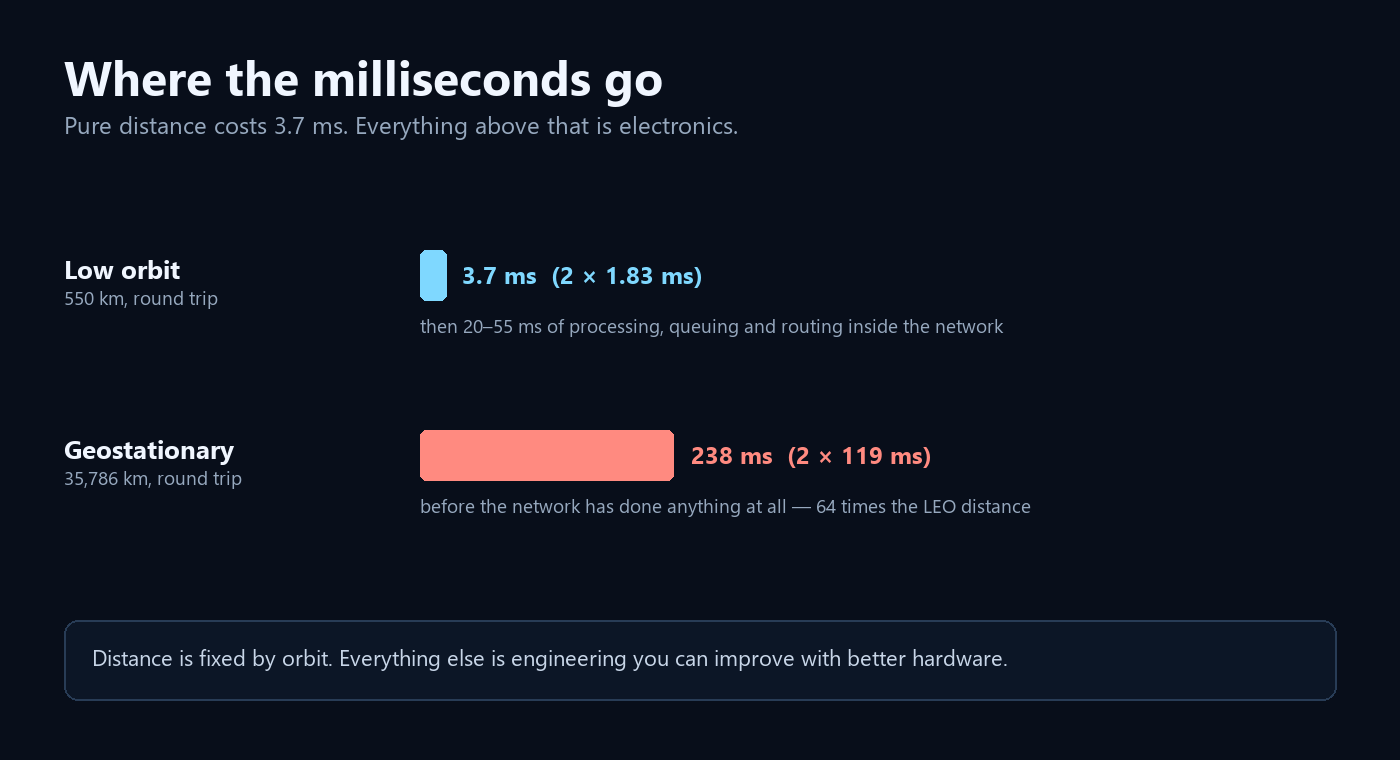
Here is where the other 20 to 55 ms goes. Treat the middle rows as approximate — they move with firmware, load and which way your traffic is routed.
| Segment | Typical time | Fixed by |
|---|---|---|
| Dish → satellite | 1.8 ms | Orbit |
| Satellite → dish | 1.8 ms | Orbit |
| Terminal processing | 2–5 ms | Hardware, firmware |
| Satellite cross-links and routing | 3–10 ms | Constellation design |
| Ground station to the internet | 10–40 ms | Distance to the gateway, peering |
The dish is not a dish
There is no motor and no moving part. The panel is a grid of hundreds of small antenna elements, and each one can delay its own signal by a fraction of a nanosecond. Delay the elements in a coordinated pattern and the combined wavefront leaves the panel as a narrow beam pointing in a specific direction. Change the pattern and the beam moves.
That is the whole trick, and it is why the terminal can track a satellite crossing the sky at roughly 27,000 km/h without physically turning. Steering happens in microseconds, thousands of times per second, as the beam follows the target and compensates for the motion.
Two things follow from a beam this narrow. First, the dish has to know where to point, which it gets from orbital data downloaded over the link itself plus timing from GPS. Second, the beam is directional enough that pointing it at a tree is genuinely different from pointing it at a slightly different patch of sky.
And then the satellite leaves. A low-orbit satellite is only in view for a few minutes, so the terminal spends its life watching one target while preparing the next. When the current satellite drops below the minimum angle, the beam swings to the replacement — a handoff. Done well it is invisible; done at the edge of coverage, or with an obstruction in the way of the new position, it shows up as a one-second freeze.
Two frequencies, two jobs
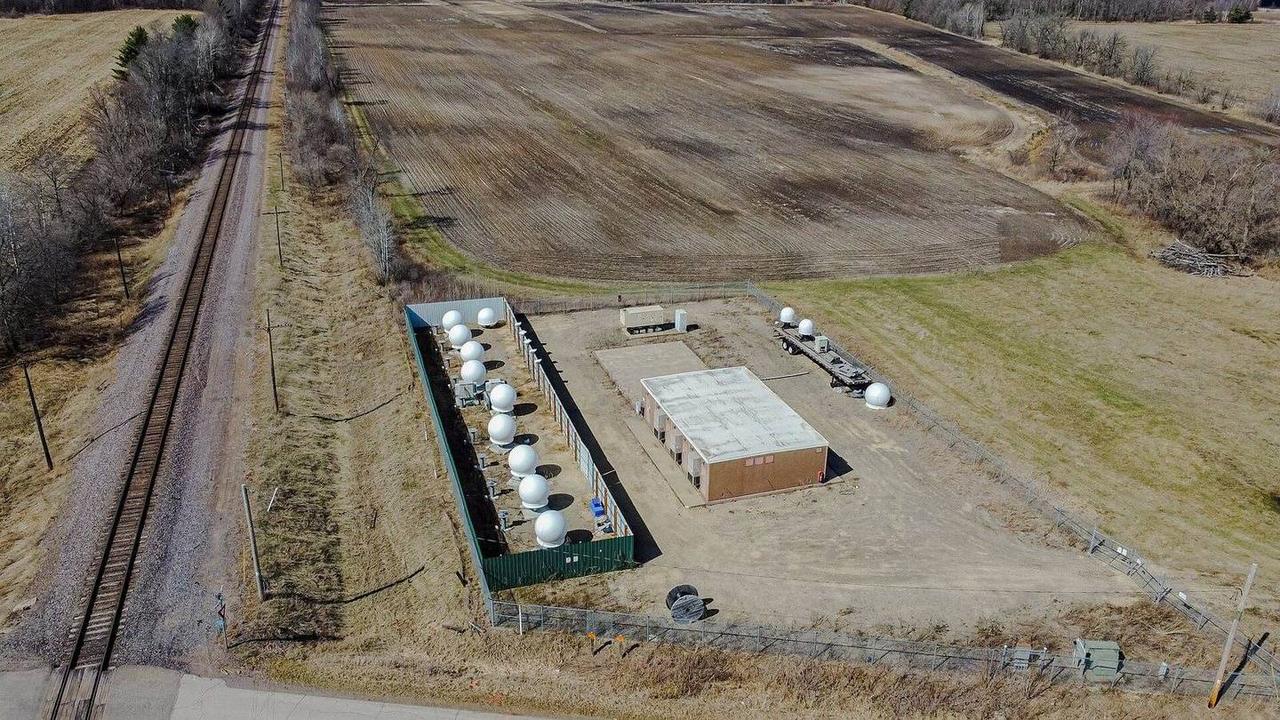
The link to your dish and the link from the satellite down to a ground station do not use the same frequencies. Consumer traffic runs in the Ku band, around 10.7 to 12.7 GHz on the downlink. The gateway links that carry that traffic to the internet use the higher Ka band, where more spectrum is available and dishes can be larger because they sit on the ground and do not have to look elegant on a roof.
Higher frequencies carry more data and suffer more from weather. That trade-off is why heavy rain slows a Starlink connection long before it breaks it: the terminal drops to a more robust modulation scheme, which costs throughput but keeps the link up. Snow is a different problem — it is not the radio that struggles, it is the dish face, which is why the heater exists.
Worth separating two things people use interchangeably. Latency is how long a packet takes, which the orbit mostly fixes. Bandwidth is how much can be in flight at once, which depends on spectrum, cell load and your plan. A link can be fast and laggy at the same time — high throughput on a congested evening still feels bad, because the thing you notice is the delay, not the download speed.
Why a leaf is a real problem
Obstruction is not about a tree covering the view. It is about what crosses the beam while the beam is pointed at a satellite that is moving. A single branch at the edge of the field can interrupt the link for a fraction of a second — long enough to lose packets, drop a video call frame, or reset a download.
The install app’s obstruction map is a good tool and a poor promise. It shows you a cone that the dish considers clear today. It does not know that the tree will leaf out in April, that a new fence is going up, or that the dish will be re-pointed to a satellite lower on the horizon next month.
What you can actually control
Almost none of the numbers above are yours to change. The ones that are:
- Sky view. Height beats everything else. Two metres up a pole often clears a treeline that no amount of aiming fixes at ground level.
- Cable quality and length. A long, thin run adds loss and, on cold days, brownouts that look like a hardware fault.
- Mount stability. A beam this narrow does not tolerate a bracket that flexes in wind. Movement you can see becomes packet loss you cannot.
- Your router. The satellite link is usually not the bottleneck for a single device — home Wi-Fi often is. Testing over Ethernet separates the two.
If you want the rest of this picture — how the constellation is arranged, why your speeds change at 9 p.m., how the account and cells work — the Starlink 101 framework lays it out chapter by chapter. If you are still at the “should I order” stage, the practical guide is the faster read.
Try this today: open the obstruction map in the app and look at the north edge. If anything in that arc moves in the wind, you have found the most likely cause of the dropouts you have been blaming on the provider.
Then measure the thing you are actually complaining about. A speed test measures throughput; it will happily report 150 Mbps on a connection that stutters in a video call, because stutter is latency and jitter, not bandwidth. Run a ping to a stable address for a minute and watch the spread: a steady 35 ms is a healthy link, while 35 ms that spikes to 300 ms every few seconds explains everything you have been feeling.